| |
welcome | mug | news | features | download | repository | building | license | contact |

welcome to muFor many people, e-mail is the 'flow' in their work-flow. One spends a lot of time searching for old e-mails, digging up some important piece of information. With people having tens of thousands of e-mails (or more), this is becoming harder and harder. How to find that one message in the evergrowing information haystack? Enter mu. 'mu' is a set of command-line tools for Linux/Unix that enable you to quickly find the e-mails you are looking for. The main requirement is that you store your e-mails in Maildirs. If you have no idea what 'Maildirs' are, you are probably not using them. how does it work?First, you need to index your messages. Indexing means filling a database with information about your e-mails; this may take a couple of minutes the first time you do it, but after that it's a lot faster. mu indexes your mail with the index command: $ mu indexIt tries to pick reasonable defaults, but you can specify your own options as well. You could run mu index periodically to keep your database up-to-date. Or you could trigger it when new mails have arrived. After building the database, it's easy to search for messages. For example:
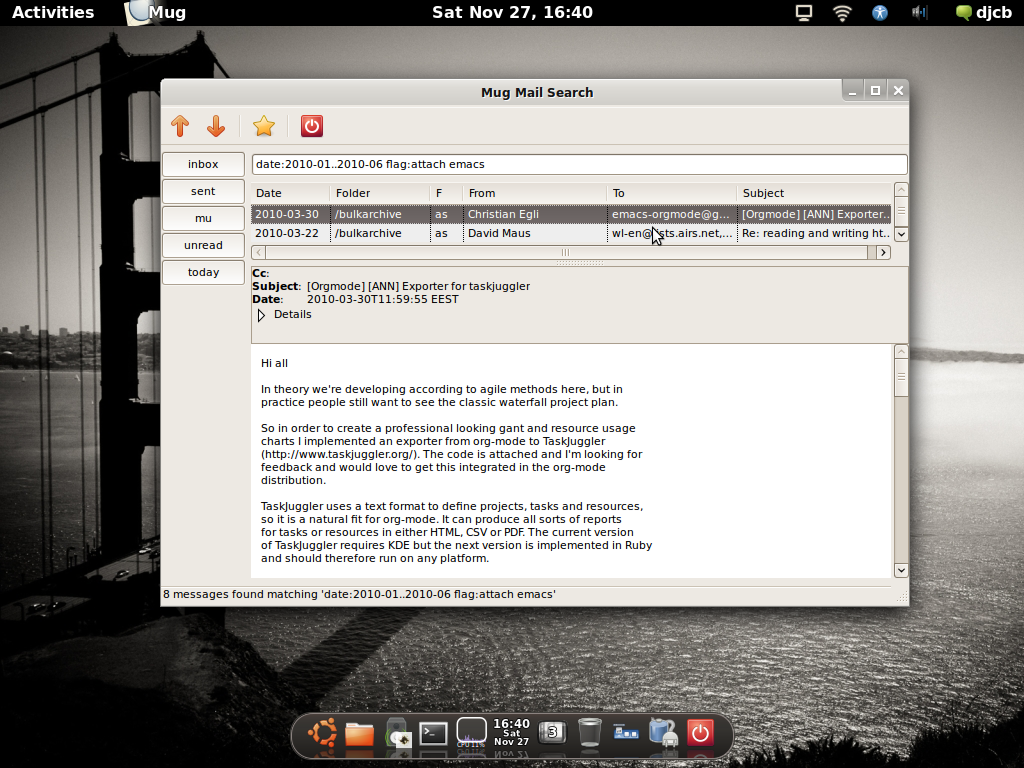
Searches are case-insensitive as well as 'accent insensitive' (version 0.9 and up); so angStroM will match Ångström. Often-used queries can be stored in bookmarks file. The way to express the searches may be a bit cryptic at first, but easy to learn (in the author's biased opinion); the mu manpages discuss syntax and usage. There is also the mu-easy man-page which contains a lot of simple examples to get you going. NOTE: while searching from the command-line is useful, mu can also easily be integrated with some e-mail clients. The documentation includes examples for integration with mutt and Wanderlust. mu is Free Software (GPLv3), runs on Unix/Linux-based systems, and uses the Xapian text indexing engine. Important: for mu to work, your mails must be stored in a set of maildirs mug Starting with version 0.9.2, there is
now two toy UIs for mu, called mug
and mug2. The latter has more features, but also adds some
dependencies if you want it - both mug/mug2 are
optional. The longer-term goal is to have a bit more complete graphical
user-interface. Currently, the UIs are not installed, you need to run them
from their build directory. If you have defined bookmarks, the are shown in
the toolbar on the left side of the window, as can be seen in the screenshot.
|